Court TV
- 3.7
- Rating
- 100.00K
- Installs
- Free
- Price

 Analysis by App-foxy
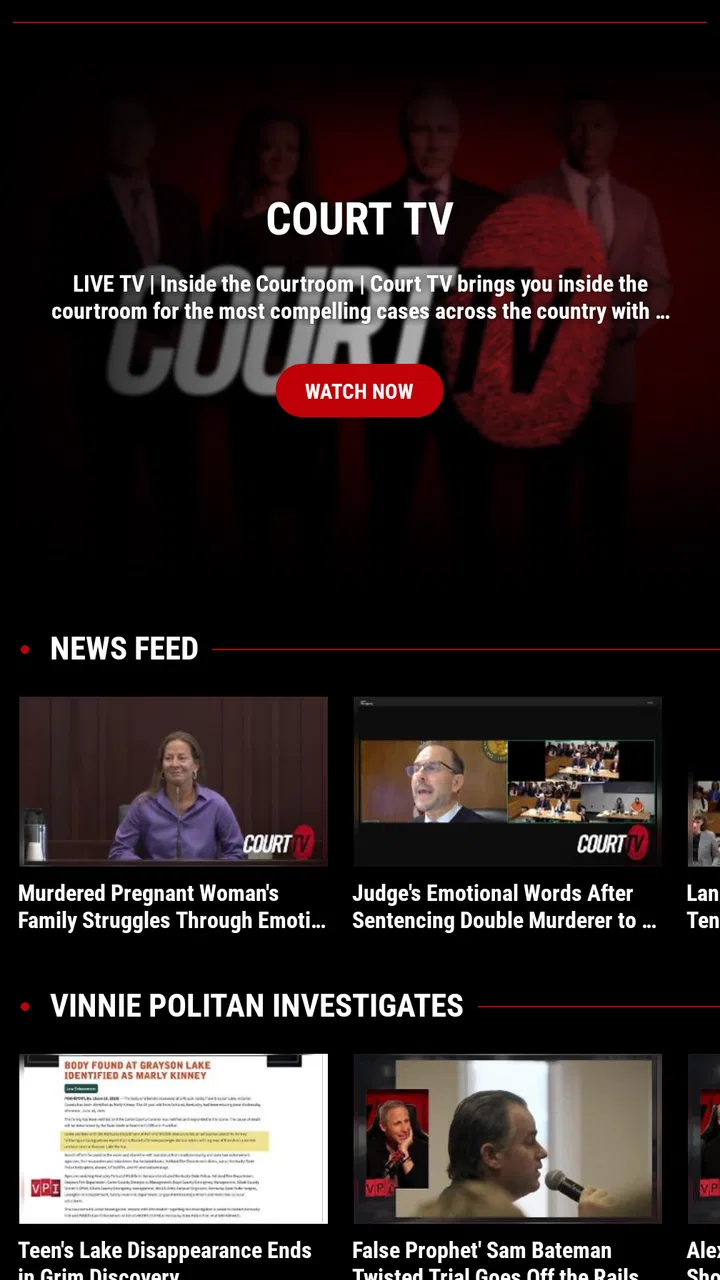
Watching a trial on a phone is a very different experience from catching a short news update between errands. Court TV is built for the first kind of attention: it is a news and magazine app from Katz Broadcasting, LLC that focuses on live, gavel-to-gavel coverage of prominent trials. I found its appeal fairly easy to understand. Instead of asking you to assemble courtroom clips from several services, it gives the proceedings themselves the central place on the screen.
That focus makes the app more useful than its very short store description suggests. It is not simply another general news reader filled with headlines, weather, and politics. The experience is aimed at people who want to follow courtroom developments as they happen, or who want a dedicated place to return when a major case is dominating public attention. The key question is not whether you like news apps; it is whether you want live courtroom coverage badly enough to plan around a reliable internet connection.
How Court TV feels when the network is doing its job
In my experience, the strongest part of Court TV is the directness of the live format. When coverage is available, the app turns your phone into a window on the courtroom rather than a list of articles about it. That distinction matters. A written report can summarize what happened, but live coverage lets you follow the pace, pauses, testimony, arguments, and procedural turns for yourself.
You May Also Like

 Blood Strike: 2.5 Anniversary
Blood Strike’s Loadouts Turn Every Drop Into a Tactical Gamble
A close look at Blood Strike’s custom loadouts: how fast access to signature weapons reshapes its battle royale rhythm, rewards preparation, and narrows the gap between fights.

 Pandora - Music & Podcasts
Pandora’s Music Is Easy to Start, but Harder to Recover
Pandora’s strength is its low-effort path from a seed to a station. Its weak spot is how much confidence it asks you to place in connection, setup, and quiet recovery.

 8 Ball Pool
 Is Built on Rivalries, Rematches, and Routine
A close look at the rivalries, rematches, shared routines, and unanswered safety questions that turn a quick pool match into a persistent mobile community.

 Samsung Music
’s Quiet Strength Is Playing What You Already Own
Its reach comes less from spectacle than from dependable access to a personal library. That simplicity is both the app’s strongest retention engine and its ceiling.

 AccuWeather: Weather Radar
AccuWeather Review: A Quick, Clear Forecast for Everyday Decisions
For everyday plans, the best forecast is the one you can understand quickly. AccuWeather makes rain timing, radar, and local conditions easy to act on, with a few trade-offs.

 Hill Climb Racing
Why Hill Climb Racing Still Turns Crashes Into One More Run
A tiny car, a bumpy hill and one more upgrade: Hill Climb Racing keeps resurfacing because its simple chaos makes every near-miss feel personal.
More From Our News Desk
View All News


This also means the app rewards patience. It is not designed around quick swipes and instant conclusions. Court proceedings can move slowly, include long stretches of technical discussion, or pause while lawyers and the court deal with matters that are important but not dramatic. I would not open it expecting the constant action of a social feed. I would open it when I wanted continuity and context.
The live nature of the service makes connectivity part of the product, not a minor technical detail. On a strong home connection, the experience feels natural: start the coverage, settle in, and let the proceedings unfold. On a weak mobile signal, the same idea becomes less comfortable because any interruption breaks the sense of being present. The app’s value rises and falls with the quality of the connection at the moment you need it.
That is the first practical trade-off. A conventional news app can often give you a headline or text summary even when your connection is inconsistent. Court TV is more dependent on a continuous stream, so it is better suited to a stable Wi-Fi connection or a dependable mobile network. I would treat it as a live viewing tool rather than a replacement for every kind of courtroom news.
Why live courtroom coverage needs a different kind of attention
One useful habit is to decide what you want from a session before opening the app. If you are trying to understand the overall direction of a case, watching for a longer period can provide context that short clips miss. If you only want the latest development, a general news source may be faster. Court TV becomes especially worthwhile when the details, sequence, and tone of the proceedings matter to you.
I also found that the phone’s screen changes the way the coverage fits into daily life. A television encourages a more settled viewing session, while a phone makes it tempting to check in during spare moments. That flexibility is convenient, but it can create a fragmented understanding of what is happening. A few minutes here and there may show an isolated exchange without the surrounding explanation.
For that reason, I would use the app in two modes. During a significant part of a trial, I would give it a proper block of attention and keep notes if I needed to remember names or arguments. At other times, I would use it as a quick way to reconnect with the live coverage, then seek a broader summary elsewhere if I had missed too much. This approach avoids treating a live feed as though it were a neatly edited news bulletin.
There is another subtle advantage to the dedicated focus: it reduces the temptation to jump between unrelated stories. General news apps are useful precisely because they cover many subjects, but that variety can dilute concentration. Court TV keeps the courtroom at the center. For someone following a high-profile case closely, that narrower purpose can feel calmer and more coherent than moving through a crowded news homepage.
Using it in ordinary mobile situations
A realistic scenario would be checking the app during a lunch break when a trial is still unfolding. I would first connect to a dependable network, open the coverage, and decide whether I had enough time to watch meaningfully. If I only had five minutes, I would avoid assuming that those five minutes represented the entire story. The better use would be to see what is happening now, then return later for a longer stretch.
At home, the app makes more sense as a companion to a larger viewing setup if you have one, but the phone remains useful when you are moving between rooms or away from the television. In a waiting room or on public transport, it can provide access to the same kind of live courtroom focus, provided the network is strong enough. I would be more cautious in underground stations, crowded venues, or rural areas where a steady stream may be difficult to maintain.
The phone itself can also become part of the limitation. Courtroom coverage may be easier to follow with headphones, especially in public, but that makes the experience less social and less convenient if you need to stay alert to your surroundings. Watching while walking, driving, or handling other tasks is not a sensible use of a live legal proceeding. The app is portable, but portability does not turn complex coverage into background audio.
People who want to follow trials while traveling should plan around connectivity rather than assume the app will behave like a downloaded news article. Before leaving reliable Wi-Fi, I would check that the device has enough battery and that the mobile signal is likely to hold. I would also avoid making the app my only source of information during an important hearing. A separate text-based news source is a useful backup when the live stream is inconvenient.
What happens when the connection breaks
Network interruptions are more disruptive here than they are in a typical headline app. A failed article load may delay one story; a broken live feed can remove the moment you were trying to follow. If the picture or audio stops, I would first check whether other apps can reach the internet. That quickly tells me whether the problem is the connection itself or the Court TV session.
My practical recovery routine would be simple: move to a stronger signal, switch between Wi-Fi and mobile data when appropriate, and reopen the app if the stream does not recover naturally. I would not repeatedly tap the screen while standing in the same weak-signal spot. For live coverage, location often matters more than patience. Near a window, closer to a router, or away from a crowded network can make a bigger difference than restarting several times.
There is also a mental recovery step. If the feed returns after a gap, I would not assume I understood what happened during the missing period. I would use a written news source to fill in the break or wait for later coverage that explains the sequence. This is one of the most important differences between watching live proceedings and reading a finished report: the app can show the present, but a connection failure can leave a hole in your understanding.
That limitation is not a reason to dismiss the app, but it does affect who should rely on it. A viewer who needs a complete, searchable record of every development may prefer a combination of written reporting and official case materials where available. A viewer who wants to witness the proceedings as they unfold will probably accept occasional friction in exchange for immediacy.
I would also be careful about judging the app solely from one bad session in a poor network area. A live service can feel excellent at home and frustrating in transit without either experience being unusual. Testing it in the place where you expect to use it is more useful than assuming your home connection represents every situation. That small trial run can tell you whether your normal mobile routine suits the app.
Keeping mobile data use under control
Because Court TV centers on live coverage, I would approach mobile data thoughtfully. A long viewing session over a cellular connection can be a very different proposition from a few minutes of checking headlines. The exact impact depends on the stream and your device settings, so I would avoid treating the app as something to leave running all day unless I was comfortable with the data consequences.
Wi-Fi is the sensible default for extended sessions. It is particularly important if you plan to follow a full hearing, watch while doing household tasks, or leave the coverage on for background awareness. On mobile data, I would use shorter check-ins and close the app when I am finished rather than letting a live session continue unnoticed.
A useful workflow is to decide whether the current moment deserves live viewing before opening the stream on cellular data. If the answer is yes, watch with purpose. If the answer is no, read a concise update elsewhere and save the live experience for a stronger connection. This is not about making the app less useful; it is about matching its most demanding activity to the right network.
Battery deserves similar attention. Live video can keep the screen and connection active, so a long session may be harder on a phone than reading text. I would start an important viewing period with a reasonable charge, reduce distractions, and avoid relying on the app during a long trip unless I had a way to recharge. These are ordinary mobile precautions, but they matter more when the content is live and difficult to recreate.
I also prefer not to use public Wi-Fi automatically for sensitive or important viewing. A crowded café network may be slow, and an open connection can be unpredictable. A trusted home network is the better environment for sustained coverage. If public Wi-Fi is the only option, I would treat the session as provisional and keep another source available in case the connection becomes unusable.
Who will appreciate this focused news app
Court TV is a strong match for people who follow major trials closely and want more than occasional summaries. It suits viewers who value seeing proceedings in sequence, who are willing to spend time with legal coverage, and who have reliable internet access where they normally watch. Students of courtroom procedure, legal-news enthusiasts, and anyone tracking a particular high-profile case may find the dedicated focus more convenient than searching through a broad news service.
It is also useful for people who dislike the way general news feeds break important stories into disconnected clips. The app’s courtroom-first purpose gives you a clearer destination: when you want live trial coverage, you know where to look. That simplicity is its main strength, especially during a case that is receiving widespread attention.
I would be less enthusiastic about recommending it to someone who wants a broad daily news briefing. The app is not a substitute for a service covering world news, business, technology, local events, and weather. Nor is it ideal for someone who only wants quick legal explainers. A text-based publication may offer faster context, searchable analysis, and easier reading in places where streaming is unreliable.
It may also be a poor fit for viewers who need flexible access away from a network. Since the central experience is live coverage, the app is not the choice I would make for a flight, a long underground commute, or a location with uncertain reception. In those situations, downloaded articles or saved written reports are more dependable. I would choose Court TV when immediacy matters more than independence from connectivity.
The age rating of Everyone makes the app broadly approachable, but that does not mean every trial will feel comfortable for every viewer. Court cases can involve upsetting testimony or difficult subject matter. Parents and younger users may still want to decide whether a particular proceeding is suitable, even when the app itself is available to a general audience.
How it compares with ordinary news alternatives
The clearest comparison is with a general news app. That alternative wins for breadth, quick summaries, and reading when the network is weak. Court TV wins when the courtroom itself is the story and you want to follow the proceedings rather than consume a short interpretation. I would use both rather than forcing one app to do the other’s job.
Compared with television coverage, the phone version is more flexible but less comfortable for long viewing. You can carry it from room to room, check in discreetly, and follow coverage without being tied to a television. The cost is a smaller screen, more dependence on battery and mobile reception, and a greater temptation to multitask. For a full session at home, television may be the better viewing environment; for mobility, the app has the advantage.
Compared with social media clips, Court TV offers a more continuous way to follow a case. Social platforms are faster for discovering that something happened, but short clips can remove context and encourage reactions before the full exchange is understood. I prefer the dedicated live approach when I want to form my own impression of the proceedings. Social feeds remain useful for alerts and discussion, but I would not treat them as an equal substitute for sustained coverage.
Compared with written legal reporting, the choice comes down to time and purpose. Articles are efficient, searchable, and easier to revisit. Live coverage is slower but can reveal how an argument develops and why a later summary emphasizes a particular moment. If I had only a few minutes, I would read. If I wanted to understand the shape of the hearing, I would watch.
What the app’s track record suggests
The app has been available since May 1, 2019, and it has passed one hundred thousand installs. Its average rating is 3.6 from around 1.8 thousand ratings, with close to one thousand written reviews. I read those figures as a sign of a useful but not universally smooth experience: enough people find value in the focused coverage, while the middling average suggests that expectations around reliability, usability, or individual viewing needs may vary.
It is free to use, which lowers the barrier to trying it during a trial that interests you. That matters because the app’s usefulness is naturally tied to what is being covered and when you happen to need it. I would rather test a free dedicated service during a relevant case than commit to a paid product before knowing whether its live approach fits my habits.
The developer, Katz Broadcasting, LLC, gives the app a clear identity through its courtroom focus. That specialization is more meaningful to me than a long feature list would be. The app knows what kind of viewing it is trying to support, even though that narrow purpose also means it cannot replace a complete news ecosystem.
My connectivity verdict
I recommend Court TV to readers who want live trial coverage on a phone and understand the commitment that comes with it. The app works best on a stable connection, with enough time to follow proceedings rather than glance at isolated moments. Its most valuable quality is focus: it gives courtroom coverage room to unfold instead of reducing everything to a headline.
I would use Wi-Fi for long sessions, keep a written news source nearby for context and recovery after interruptions, and avoid relying on it as my only source during an unstable commute. Those habits make the experience more predictable and help prevent a brief network failure from becoming a gap in understanding.
For me, Court TV is worth installing if a major trial is something I genuinely want to follow live. It is not the right choice for broad news, offline-first reading, or instant summaries, but it fills its narrower role well. The free price and Everyone age rating make trying it straightforward, while the 3.6 average from around 1.8 thousand ratings is a useful reminder to keep expectations practical. If your connection is dependable and courtroom immediacy matters to you, this focused app is a sensible companion; if not, a written news alternative will usually be the more reliable choice.
FAQs for Court TV
01What is Court TV and what content does it offer?
Court TV is a dedicated streaming service that provides live coverage of high-profile court cases and legal news. It features real-time access to trials, expert analysis, and detailed commentary. The app also includes a library of on-demand content covering past cases, legal documentaries, and exclusive interviews with legal experts.
02Is Court TV free to use, or does it require a subscription?
Court TV is a free-to-use app, offering access to its live broadcasts and on-demand content without a subscription fee. However, users should be aware that the app may include advertisements to support its free model. Some additional premium features or ad-free experiences might require in-app purchases.
03On which devices can I install Court TV, and is it compatible with both Android and iOS?
Court TV is available for both Android and iOS devices, ensuring compatibility with most smartphones and tablets. Users can download the app from the Google Play Store or the Apple App Store. Additionally, Court TV may also be accessible through certain smart TVs and web browsers for a larger viewing experience.
04Does Court TV provide international coverage, or is it limited to cases in the United States?
Court TV primarily focuses on legal proceedings within the United States, featuring high-profile American trials and legal news. While the app occasionally covers major international cases, its primary emphasis is on the U.S. legal system. Users interested in global legal news should check the app's updates for any international content.
05How reliable is the live streaming service on Court TV?
Court TV offers a robust live streaming service, designed to provide uninterrupted access to ongoing trials and legal news. While the app generally delivers a smooth experience, streaming quality may vary based on the user's internet connection. It's recommended to use a stable Wi-Fi network for the best viewing experience.
Pros
- High-quality streaming of live trials.
- In-depth analysis from legal experts.
- User-friendly interface with easy navigation.
- Free access without subscription fees.
- Regular updates on high-profile cases.
Cons
- Limited content outside of U.S. trials.
- Ad interruptions during live streams.
- No offline viewing option available.
- Requires stable internet for smooth streaming.
- Limited interactive features for viewers.

Court TV
Gallery